Storyboarding is the next step in a Google Design Sprint after the final sketches are done. What is a storyboard? It’s a visualization of the steps a user takes while using your product. These steps and what the app screen looks like are all derrived from the different ideation sessions, whether lightning demos or the sketches. Storyboarding gives you a clear direction for your next step: prototyping.
Where do you start?
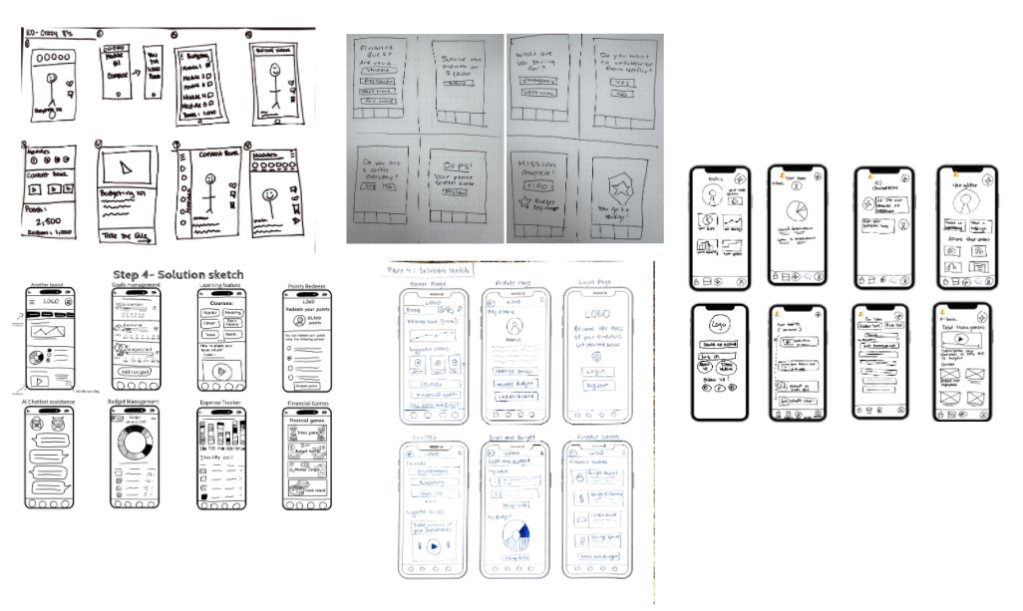
From the previous steps of sketching, you take the finalized forms and put them around your team like an art museum. Every team member’s sketch is shown anonymously, later it is presented and team members share their questions, thoughts, likes, constructive ctiticisms and ideas regarding each drawing.
Heat map voting
Heat map voting utilizes small sticker dots, or in our case – digital dots, to highlight parts of the sketches that your team likes or find interesting.
Follow these steps:
- Don’t talk.
- Look at a solution sketch.
- Put dot stickers besides the parts you like (if any).
- Put two or three dots on the most exciting ideas.
- If you have a concern or question, write it on a sticky note and place it below the sketch.
- Move on to the next sketch and repeat.
– From the book Sprint by Jake Knapp, with John Zeratsky & Braden Kowitz from Google Ventures.
There are no limits or rules for these dots… If people run out of dots, give them more.

Speed Critiquing
The next step is pulling apart what key aspects of each sketch were uncovered during the heat mapping. Our team had a lot to say!
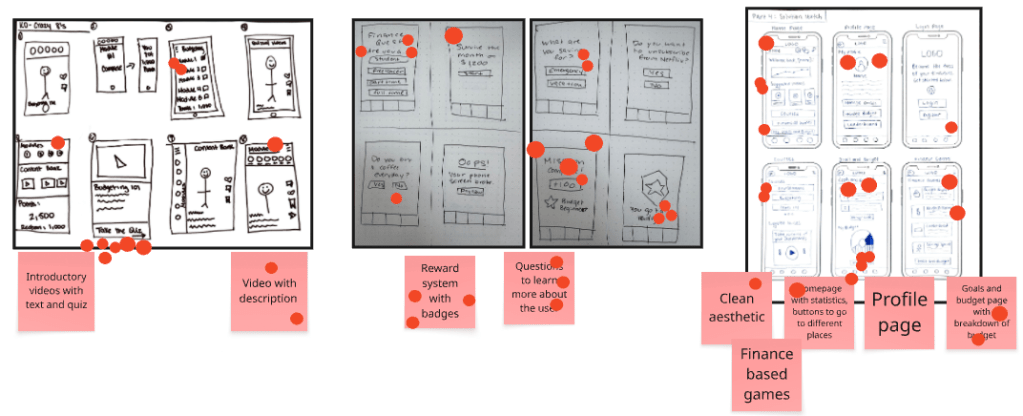
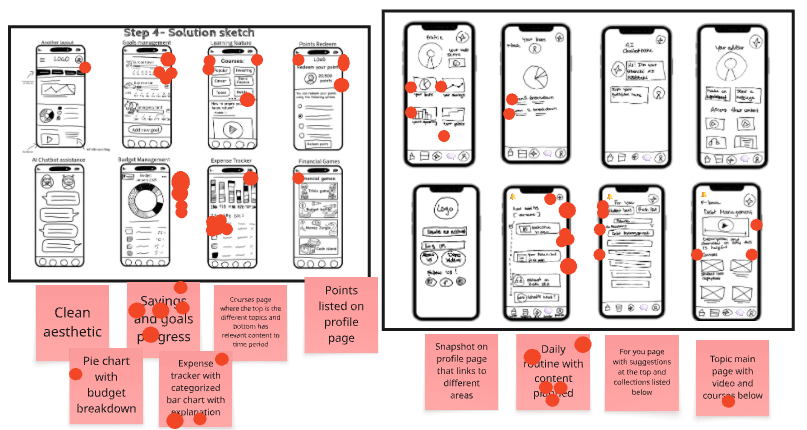
While we still pulled out a lot of good information, there were way too many things and we needed to narrow down the scope. We then heat mapped those sticky notes and pulled out just 5 key aspects to focus on.
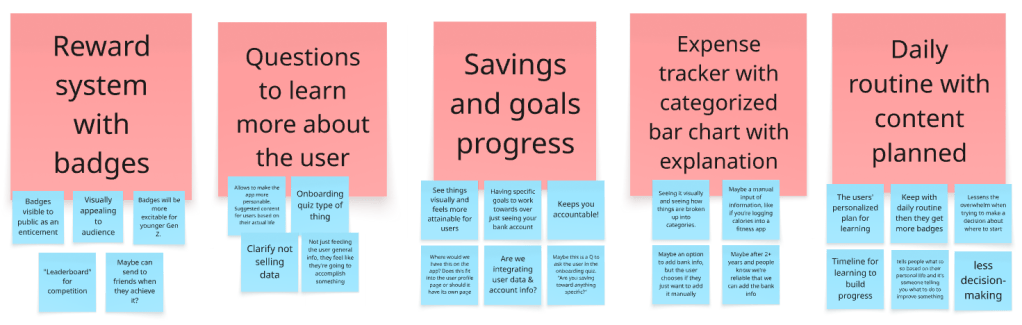
With these in mind, we felt a lot more comfortable with building off of these ideas for our storyboard.
Creating user flows
This is the part where your team reflects on how the user is getting to your app and how they might use it.
For your sprint team to start the exercise, they need to each write a 6-step user flow, where the “action steps represent the [user’s] actions, clicks, taps, choices, movements that the user will take to progress through the storyboard” (The Sprint Handbook). After each person is done, they all put their user flows into their designated P row. Check out my team’s below.
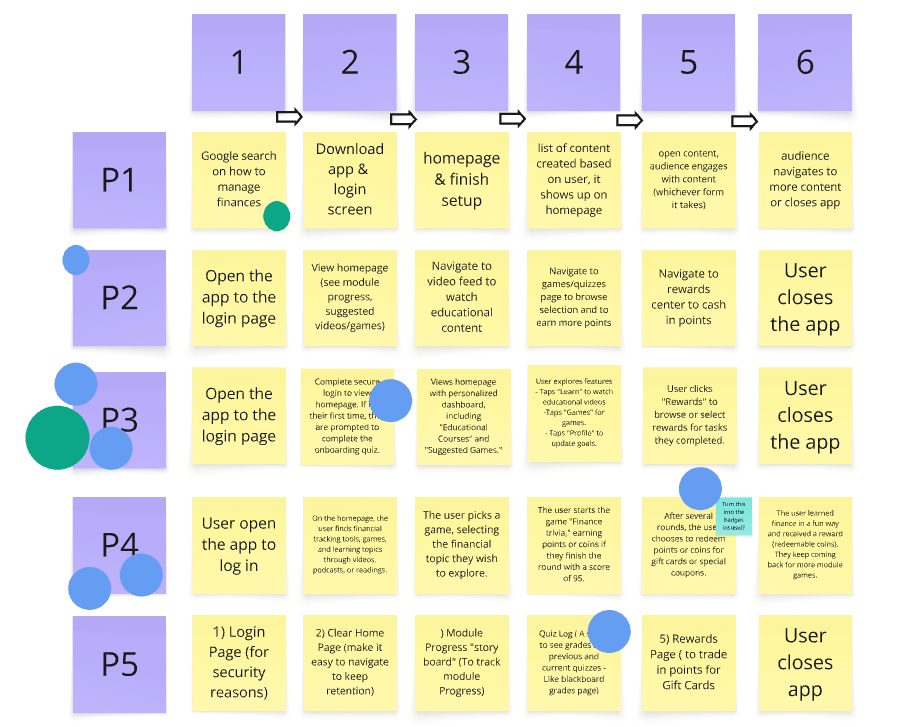
Each team member is then given two dots, and the decider gets a different color set. One dot is meant for the row that best represents the best flow to try for the final prototype, and the other is for a specific step or something important to keep in mind.
Our decider chose to remind our group that our audience may not immediately know about the app and would need to Google Search for the knowledge they’re seeking. That’s when our app would pop-up.
Storyboarding – finally!
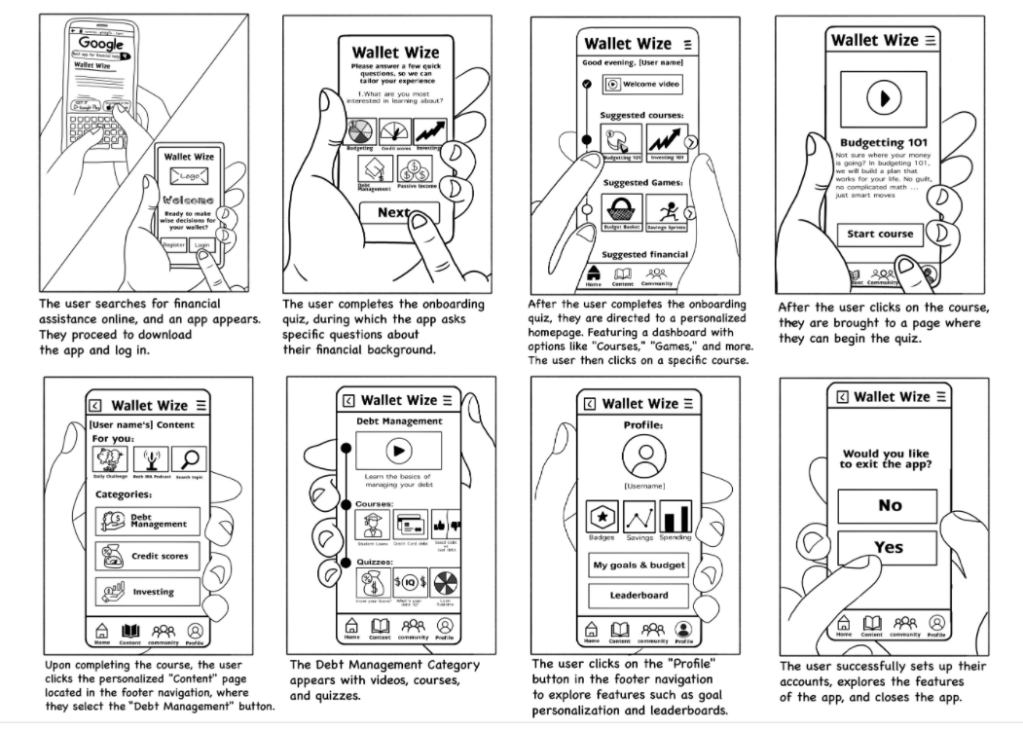
After the user flows are selected, it’s time to place the sticky notes into an 8 section storyboard. Yes, there are only 6 stickies in the user flow section, but this is when your team would fill in the missing pieces. That may look like an action step expanding into a multi-step process and the extra space will accomodate for that.
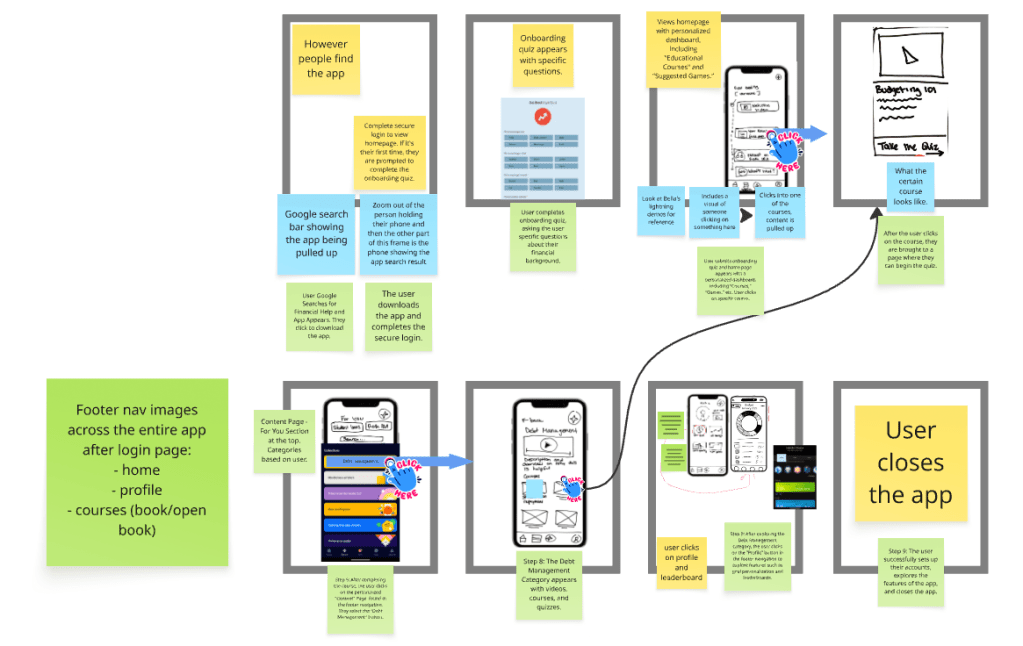
It’s crucial for your team to write down what’s happening in each section. What is the user doing? What buttons are they clicking on? How is the user feeling?
After this step is done, it’s time to refine, refine, refine until you have a finished storyboard. The final one should look something like this:
Key takeaways
If I’m being totally honest here, my teammates are incredible. We’ve been working so hard on this app idea, and they deserve the credit!
This process isn’t just a silly thing to do to pass time, it’s giving my team an actualized product concept. It’s turing our ideas into an actual, tangible thing. All of the steps leading up to this left us confused and maybe even a little disoriented because a sprint is such a foreign concept to us. But now that we’re going through these steps, everything is actually working seamlessly.
 Isabella Susino
Leave a comment