A user manual is a guide that tells other people how you do your best work, or rather – yourself. The manuals can have different sections based on your preferred work environments, communication styles, your values, how to better understand you, and other things.
“What Is Personal User Manuals? A personal user manual (PUM) is a document that allows you to explicitly communicate how you best work, who you are as a human being and provide others advice, ideas and a framework to best interact with you.”
The benefits of your team completing a user manual include fostering better communication and empathy, increasing collaboration amongst different departments, and inviting connections.
Initially, the creation of the manual was difficult for me to start. I had no idea what my ideal workspace is, work preferences are, what time of day I am most productive. I quickly realized that this manual was a lot more important to have, even if no one else saw it.
Being honest with yourself
Seeing what kind of patterns I have throughout the past week in order to create the manual was a challenge in itself. Allowing myself to notice when I became tired and less productive instead of pushing through, like I normally would, and trying different schedules really helped. I still have some resistance in admitting these things because it goes against what the American working standard is that’s been ingrained in us since early childhood.
I already knew that I am not an early morning person, that in previous jobs starting at 10 am felt easier and less demanding throughout the day. Often in the afternoons around 1 pm is when I start to really drag my feet so a break to take a walk really helps late afternoon productivity. Additionally, with the start of graduate school, I’ve noticed that I like working into nighttime, if I don’t have plans with friends.
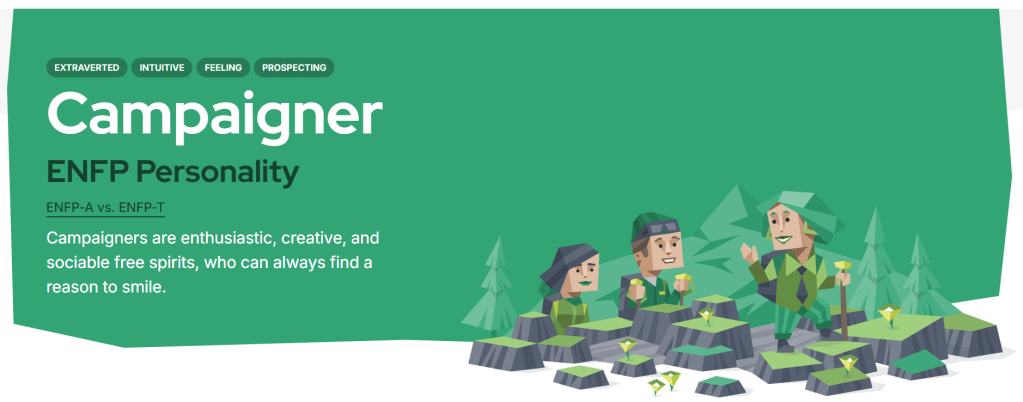
Another tool to get to know yourself better is taking a personality test. It can lead to some insight on who you are deep down, even into which kinds of activities you feel drawn to. After taking it, I discovered I am in a category called “Diplomats,” which means I lean heavily into my intuition and feelings when making decisions. They are also known for empathy, diplomatic skills, and passionate idealism. Going further into this subsect, I am a Campaigner.
“People with the ENFP personality type (Campaigners) are true free spirits – outgoing, openhearted, and open-minded. With their lively, upbeat approach to life, ENFPs stand out in any crowd.
http://www.16personalities.com
These personalities have profound depths that are fueled by their intense desire for meaningful, emotional connections with others.”
These tests have become very popular within workplace teams when trying to find better avenues of communication. By comparing personality tests, your coworkers can start to understand more about you on a platform they’re already familiar with. A user manual just takes this a step farther and allows you to communicate your personal preferences and needs along with personality traits.
Productivity as someone with ADHD
As someone diagnosed with ADHD, I’ve noticed that having another person around as I’m trying to be productive helps me to stay focused. The term “coworking” or “body doubling” means that there is at least one other person in the environment with you, but you’re each working on your own thing – and without conversation. There are popular websites that can mimick the environemnt needed to body double. I’ve found a Discord server for digital nomads that has been helping me stay on track this past week.
An additional tool that I use is Todoist, a project management tool that allows you to set deadlines and reminders. Creating a task with a deadline makes it feel more urgent, and therefore a higher need to get it off of my to-do list.
A dopamine menu is also something very useful. It is a list of things that I enjoy and give me dopamine, without the doom scrolling. There are different levels of the menu for different kinds of rewards. The below menu is mine:
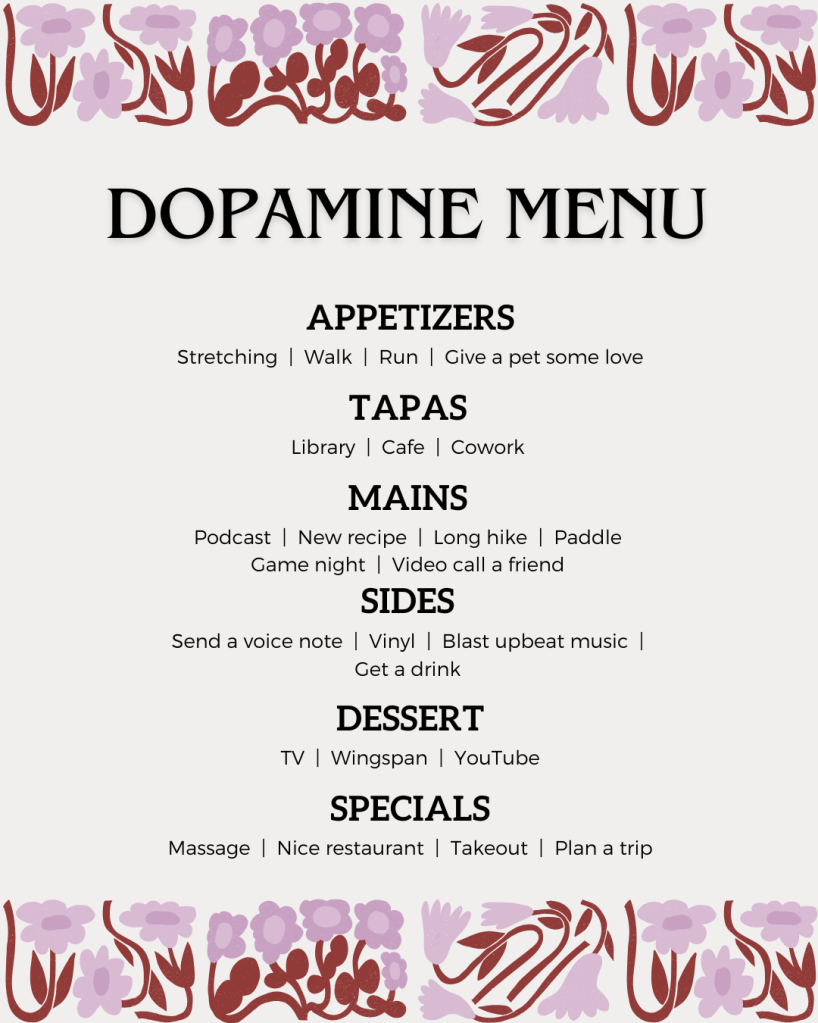
The benefits to having a user manual as someone with ADHD are simply unmatched. I love that I can now reference this to see if working conditions are within my needs, without having to fully digest and then regurgitate what they are. It will become a reference point for me, just like my dopamine menu.
Creating the user manual
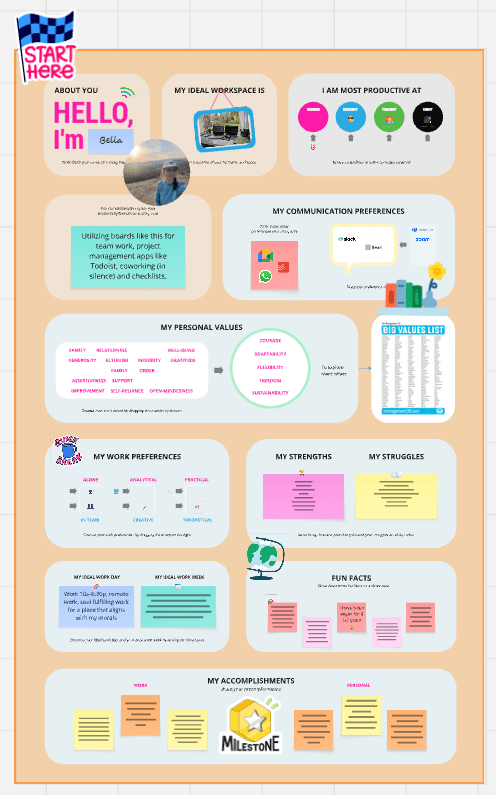
Now that you’ve been able to notice and reflect on your habits, you can start to create the user manual. I was lucky enough that I was provided a template for this, so feel free to copy the different prompts from my manual. It isn’t super necessary to use an app like Miro, like I did for this project, but there are a lot of interactive features that make things easier. If you don’t want to use the application, using a pen and paper to just get all of this written down somewhere so you can reference it later will be sufficient.
Some prompts for you to think about:
- What times are you most productive?
- What does your ideal workspace look like?
- What tools do you use to keep yourself organized?
- What are your communication preferences? Any application preferences?
- Think about what values you have, how do you bring those into your productivity?
- What are your strengths? Are there things you struggle with?
- Do you prefer a team setting, or an individual setting?
- Are you more analytical or creative? Practical or theoretical?
- What does your ideal work day look like? Week?
- What work accomplishments are you most proud of? Personal?
These prompts are meant to get you thinking about how you can show up and be productive. If there are areas you notice that are not forthcoming, dig a little deeper to discover why.
Check out my personal user manual and use it as inspiration to create your own.
 Isabella Susino
Leave a comment