
Have you ever visited a website or opened an app and thought about how difficult it was to find what you were looking for? Most of us have probably experienced this more than a few times. User flow is a common term in user experience design. It means that the design team was taking end users into account.
What are user flows?
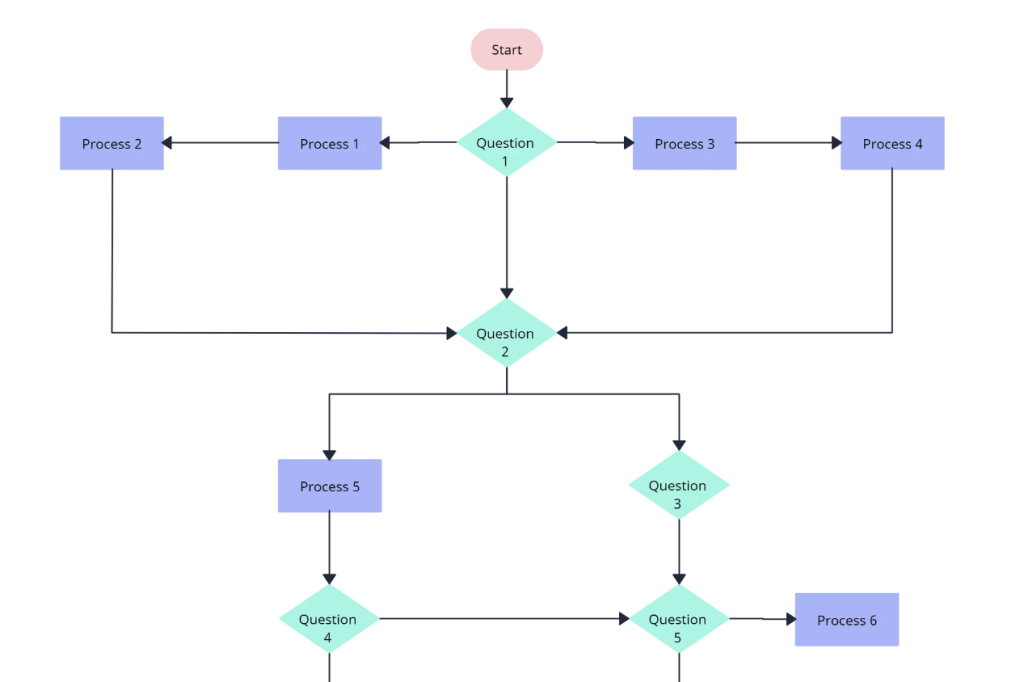
Flowcharts are visual representations of processes and systems, showing the various steps, decision points, and paths through a process. [It is used to help understand, analyze, and optimize processes.]
Creately
Flow charts show the potential processes, actions and decisions made by end users when they are using the website/app. User flows basically shows the steps the user would take to complete their tasks.
Walking For Rochester & their app
Walking For Rochester is a 501(c)3 non-profit organization in Rochester, NY. What exactly do they do for the community? They host weekly Community Cleanups, plan private Corporate Cleanups for businesses/teams, offer a Volunteer Program to record service hours, and have a Litter Removal Service.
The Walking For Rochester app is designed for users that want or need to track their service hours while they volunteer. Additionally, the app serves as a tool for the organization to collect data on where users found litter within the city.
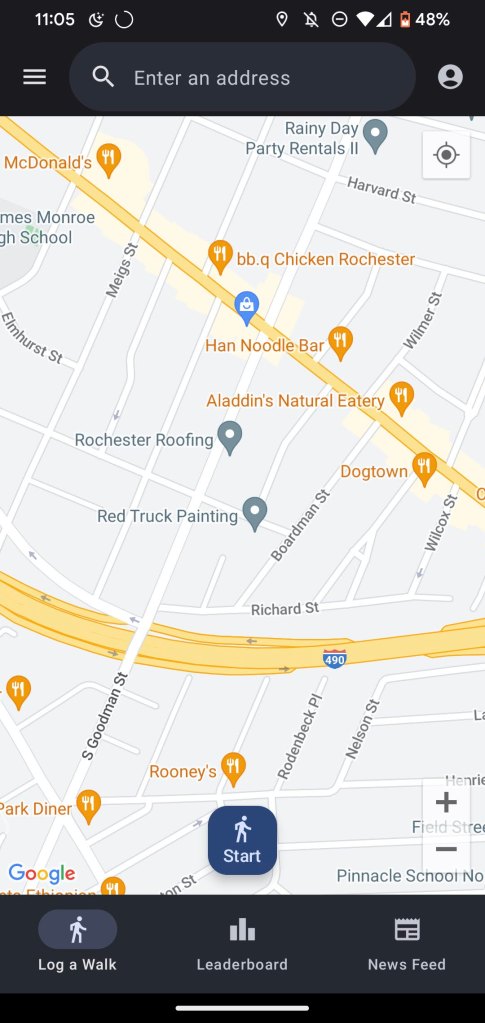
When the user first opens the app, it opens to the map and the tracking system (as shown here on the left).
Users are able to:
- Track hours and location of service
- See events and news from the organization
- Access the waiver
- Review safety Guidelines
- Sign up for the newsletter
User Stories & Scenarios
Since there are four litter cleanup types (Community Cleanups, Corporate Cleanups, Volunteer Program, Litter Removal Service), each of these represents a reason why someone would visit the website and/or download the app.
Community Cleanup: Matt comes to a community cleanup event to help out his neighborhood with the litter problem. He finds it hard to make it to events because he works on weekends, but he happens to have off today. Matt starts talking to the community cleanup coordinator and finds out that there is an app for the organization. By being able to record where he finds litter in the city, Walking For Rochester is now aware of areas of need and can direct volunteers to those areas.
Volunteer Program: Savannah finds out that her university’s film club mandates volunteer hours to maintain membership. Researching online about volunteer opportunities, she finds out that Walking For Rochester has an app! She realizes that she doesn’t have equipment to pick up litter, but finds out that she can borrow some from the organization. Savannah also realizes that she can’t make it to the next community cleanup to sign a waiver to participate in the program, but is relieved that she can sign one electronically.
Corporate Cleanup: Robert wants to have the recreational kickball league (yes, this is very popular in Rochester, NY for some reason) participate in a community cleanup. A lot of the time the teams can’t decide which one to go to and no one can find a date in common to attend. Robert decides to visit the WFR website, and sees that “corporate cleanups” are listed. He’s curious as to what that entails, so he clicks on it. Quickly discovering that this could also be used for his needs, he emails WFR requesting more information on the cleanup type.
Fast forward to the date that the cleanup is held, everyone has the option to download the app to track their progress and compete on the leader board for the #1 spot.
Litter Removal Service: Alex is walking down the street to go to brunch with their book club. They notice an old take out container in the rain gutter, but keep walking. They start seeing more and more litter as they’re getting closer to the main street in the area – Monroe Ave.
User Flowcharts
Components
- Round – start
- Diamond – decision made by the user
- Rectangle – process or action that is completed by the user\
- Bold font represents user flow
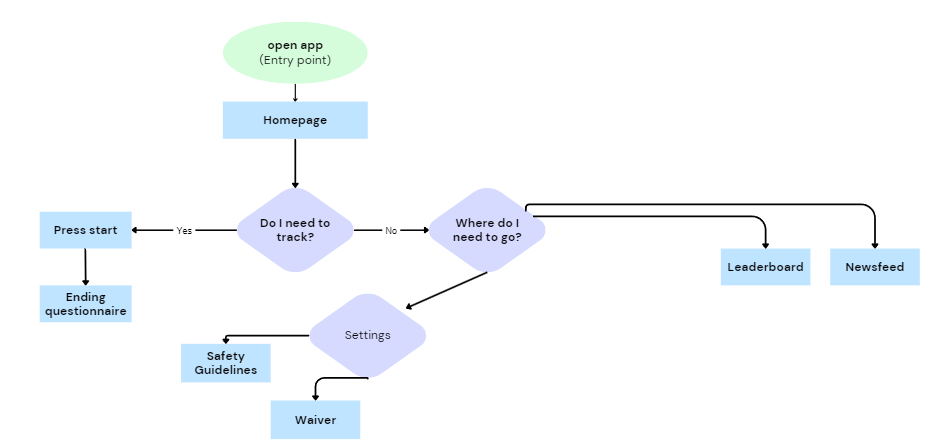
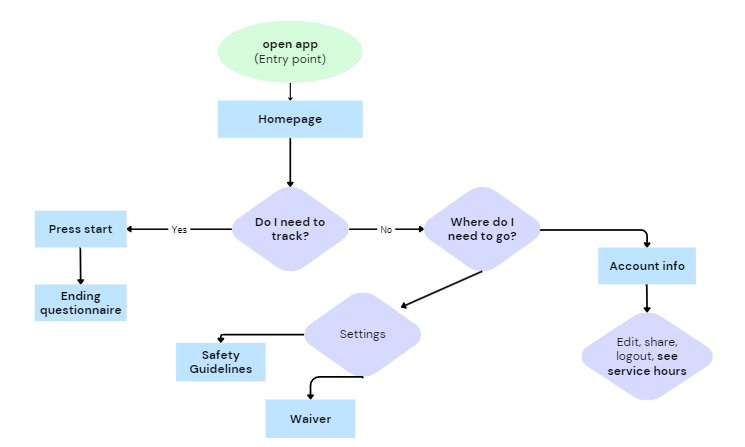
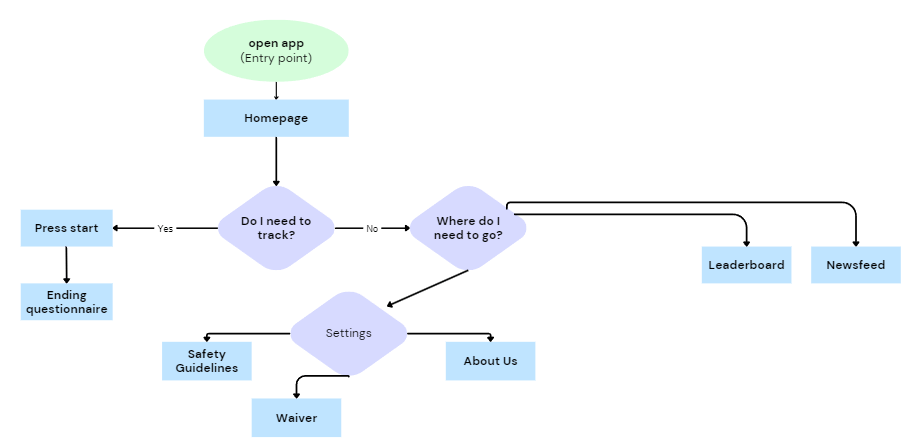
User flows are a crucial aspect in designing an audience facing platform of any kind. Just because something makes sense to the design team and internal users, doesn’t mean that it would be intuitive to third party users. Keeping end users in mind means that you’re making the processes easier on your own team and making sure your brand is reputable and reliable.
 Isabella Susino
Leave a comment