
In a previous blog I mentioned Todoist, a project management tool that is free to use for everyone. It is by far the best project management tool that I’ve used, and that includes Trello.
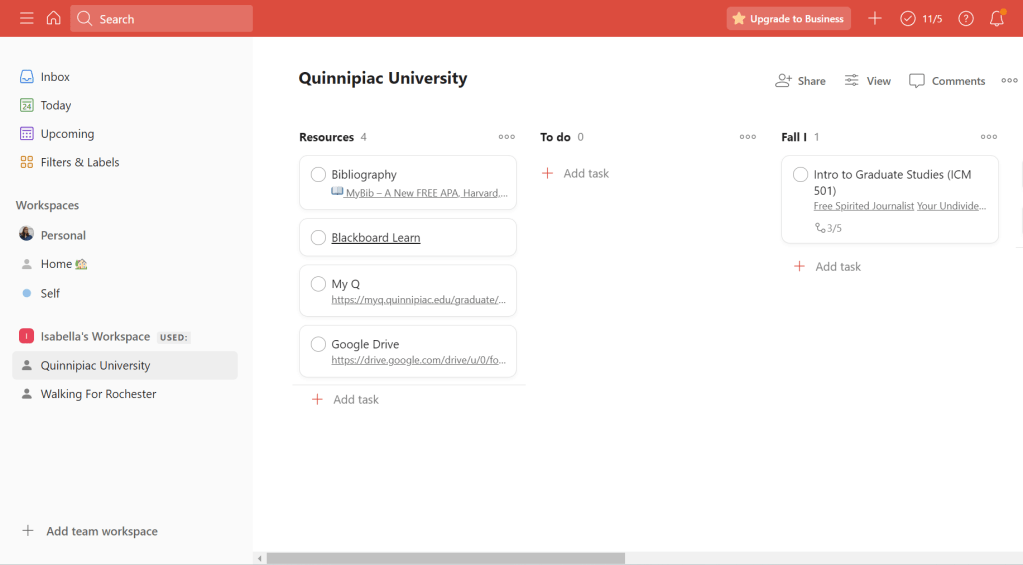
The screenshot above is an example of my graduate school ‘workspace,’ where I can create classes, write down all of the assignments and projects due, assess priority levels, and schedule due dates. I also really enjoy the side bar because every section is clearly visible and accessible. If I don’t see the sections (like with Trello) I forget that they’re there and won’t be able to complete things on time.
I chose to set up Todoist like so because I like to keep track of my classes and when they begin and end. Since I my classes are split into seven week courses, Quinnipiac has a Fall I and Fall II “semesters.” It also assists me to see my school resources readily available and linked, so I don’t have too many tabs open that I get overwhelmed.
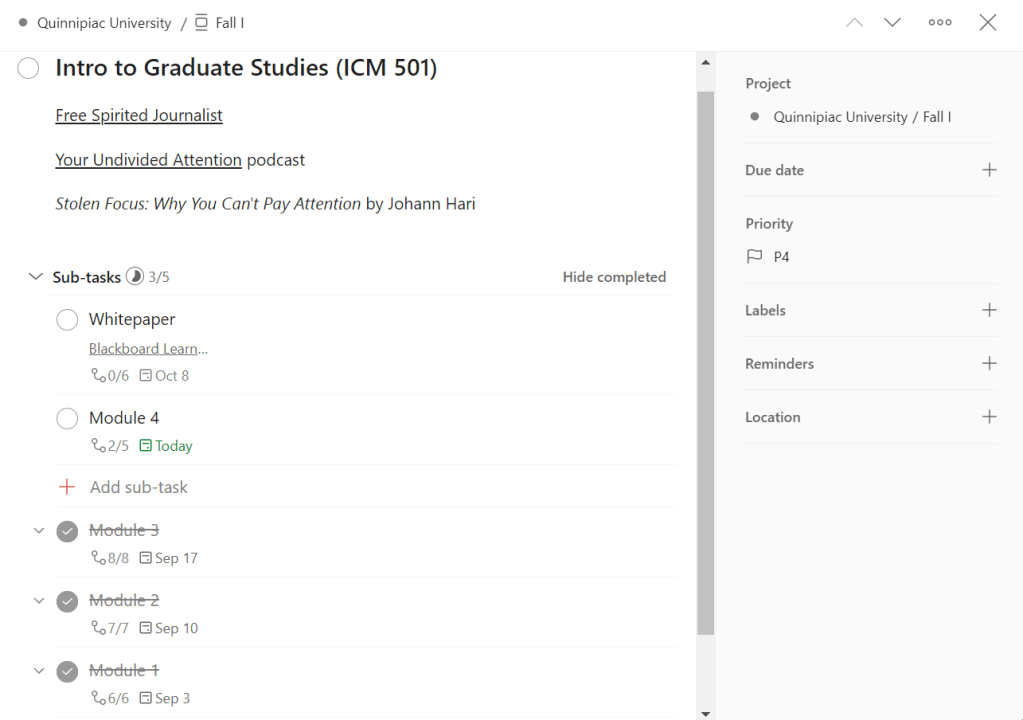
The next screen snippet is of my very first graduate class, Intro to Graduate Studies. I decided to have each module written out because breaking things down into accomplishable, small tasks makes it easier on my brain to process.
The white paper began in Module 3, but since it’s a continuous project it needed it’s own section where I can break things down into smaller, accomplishable chunks.
My partner and I also share a workspace labeled ‘Home’ that has household chores with due dates (yes, I am serious, it helps with actually getting them done!), a grocery list, a date night list, and new recipes we’d like to try.
Altogether, I really -enjoy- using this, as it’s simple yet has an accomplishment feel to it. I’d like to thank Chris for introducing me to it.
 Isabella Susino
Leave a comment